What is PolySchema?
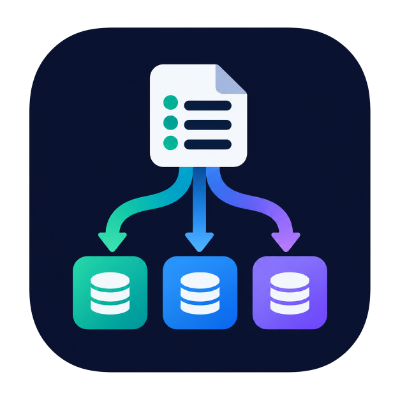
PolySchema applies database schema migrations that you write once, in YAML or JSON, to PostgreSQL, MySQL, MariaDB or SQLite. You describe the change (create this table, add that column, seed these rows) and PolySchema writes the SQL for whichever engine you point it at.
It comes in two forms:
- a Go library, which works well with
embed.FS, so your app can migrate its own database at startup - a command-line tool,
polyschema, for CI, deploy scripts and running migrations by hand
Both read the same files and use the same history table, so you can switch between them.
Why use it?
If your software supports more than one database engine, you'd normally keep a separate set of SQL migrations for each one, and keep them in step by hand. PolySchema replaces those with one set of portable files:
# migrations/1_create_users.yml
operations:
  - createTable:
      name: users
      columns:
        - { name: id,         type: bigint,    primaryKey: true, autoIncrement: true }
        - { name: email,      type: string,    length: 255, nullable: false }
        - { name: active,     type: boolean,   nullable: false, default: true }
        - { name: created_at, type: timestamp, defaultExpr: CURRENT_TIMESTAMP }
      uniques:
- { name: uq_users_email, columns: [email] }CREATE TABLE "users" (
"id" BIGINT NOT NULL GENERATED BY DEFAULT AS IDENTITY,
"email" VARCHAR(255) NOT NULL,
"active" BOOLEAN NOT NULL DEFAULT TRUE,
"created_at" TIMESTAMP DEFAULT CURRENT_TIMESTAMP,
PRIMARY KEY ("id"),
CONSTRAINT "uq_users_email" UNIQUE ("email")
);CREATE TABLE `users` (
`id` BIGINT NOT NULL AUTO_INCREMENT,
`email` VARCHAR(255) NOT NULL,
`active` TINYINT(1) NOT NULL DEFAULT 1,
`created_at` DATETIME DEFAULT CURRENT_TIMESTAMP,
PRIMARY KEY (`id`),
CONSTRAINT `uq_users_email` UNIQUE (`email`)
);CREATE TABLE "users" (
"id" INTEGER NOT NULL PRIMARY KEY AUTOINCREMENT,
"email" TEXT NOT NULL,
"active" INTEGER NOT NULL DEFAULT 1,
"created_at" TEXT DEFAULT CURRENT_TIMESTAMP,
CONSTRAINT "uq_users_email" UNIQUE ("email")
);When an engine can't do something that a file asks for, PolySchema says so; it doesn't quietly work around it. polyschema -check lists these problems for every engine without needing a database, and the migrator refuses to start if any file contains an operation the target engine can't run.
Key features
- Forward-only migrations. Files run in numeric filename order (
2_before10_) and each one is recorded in a history table. There are no down migrations. - Transactions by default. Each file runs in its own transaction. Set
transaction: falsein a file to opt out. - Concurrency-safe. An advisory lock on Postgres and MySQL/MariaDB means several app instances can start at the same moment and only one of them migrates.
- Tamper detection. Each applied file's SHA-256 checksum is stored. If an applied file is edited later, the next run fails unless you choose to allow it.
- Safe values. Identifiers are always quoted, and values in
insert,updateanddeleteare always sent as bind parameters. - An escape hatch. The
sqloperation runs raw SQL, with a different statement for each engine if you need one. - No driver lock-in. The library takes a
*sql.DBthat you open with whichever driver you like.
Quick start
Install the CLI (see Installation for other options):
bashgo install github.com/jc21/polyschema/cmd/polyschema@latestCreate a
migrationsfolder with a file in it, such as the1_create_users.ymlexample above.See what each engine would make of it:
bashpolyschema -check -dir ./migrationsPreview the SQL for your engine:
bashpolyschema -dry-run -engine postgres -dir ./migrationsApply it:
bashexport POLYSCHEMA_DSN="postgres://user:pass@localhost:5432/app?sslmode=disable" polyschema -engine postgres -dir ./migrationsRun the same command again and nothing happens, because the migration is already recorded in the
schema_migrationstable.
Next steps
- Installation: install the CLI or add the library to a Go module
- Command Line: every flag, with examples and exit codes
- Go Library: run migrations from your own Go program
- Migration Files: the file format and every operation
- Types & Engine Support: how types map to each engine, and what each engine can't do
- How It Works: transactions, locking, checksums and the history table